
This is a serial2dds service for the Dex1_1 gripper.
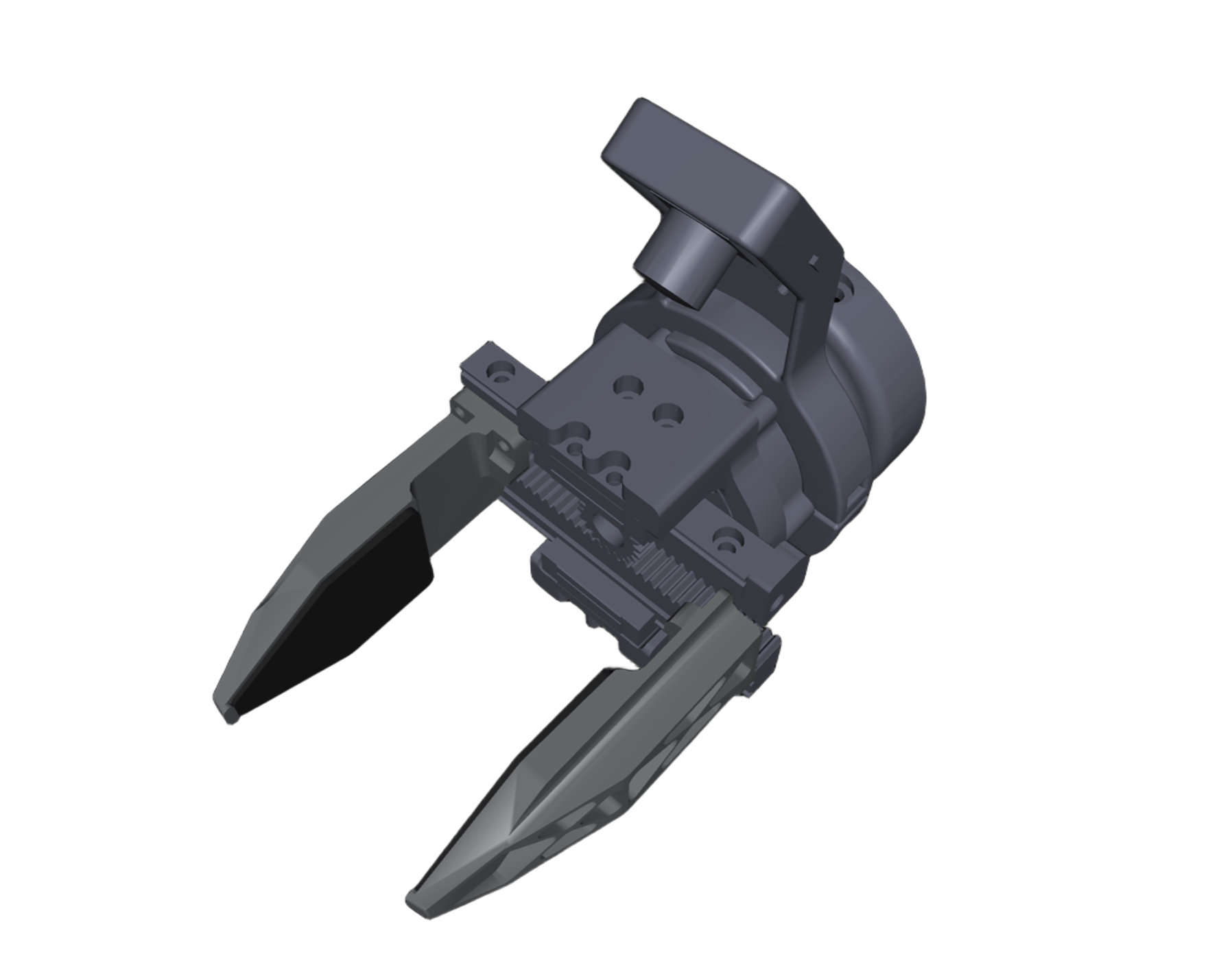
The Dex1_1 is a parallel two-finger gripper developed by Unitree. It uses a single unitree M4010 motor to drive the gripper.
graph LR
A(user) -- rt/dex1/right/cmd --> B(dex1_1, motor_id = 0)
B(dex1_1, motor_id = 0) -- rt/dex1/right/state --> A(user)

C(user) -- rt/dex1/left/cmd --> D(dex1_1, motor_id = 1)
D(dex1_1, motor_id = 1) -- rt/dex1/left/state --> C(user)
# at user development computing unit PC2 (NVIDIA Jetson Orin NX board)
sudo apt update
sudo apt install libserialport-dev
sudo apt install libspdlog-dev libboost-all-dev libyaml-cpp-dev libfmt-dev
cd ~
git clone https://github.com/unitreerobotics/dex1_1_service
cd dex1_1_service
mkdir build && cd build
cmake ..
make -j6
💡 Note: The
libdirectory provides offline packages forsudo apt install libserialport-dev:libserialport0_0.1.1-3_arm64.debandlibserialport-dev_0.1.1-3_arm64.deb. If you have trouble installinglibserialport, you can try installing these two deb packages. Installlibserialport0first, thenlibserialport-dev:sudo dpkg -i lib/libserialport0_0.1.1-3_arm64.deb sudo dpkg -i lib/libserialport-dev_0.1.1-3_arm64.deb
# Run `sudo ./dex1_1_gripper_server -h` for details. The output will be:
# Unitree Dex1-1 Gripper Server:
#   -h [ --help ]                produce help message
#   -v [ --version ]             show version
#   -n [ --network ] arg (=eth0) dds networkInterface
#   -c [ --calibration ]         calibrate the gripper motor

# start server
sudo ./dex1_1_gripper_server --network eth0
# Simplified (defaults apply)
sudo ./dex1_1_gripper_server

# Run `sudo ./test_dex1_1_gripper_server -h` for details. The output will be:
# Unitree Dex1-1 Gripper Server Test:
#   -h [ --help ]                produce help message
#   -v [ --version ]             show version
#   -n [ --network ] arg (=eth0) dds networkInterface
#   -l [ --left ]                test left dex1 gripper
#   -r [ --right ]               test right dex1 gripper

# run test examples
sudo ./test_dex1_1_gripper_server --network eth0 -l -r
# Test only the left side or the right side individually.
sudo ./test_dex1_1_gripper_server --network eth0 -l
# or test only the right side or the right side individually.
sudo ./test_dex1_1_gripper_server -r💡 Note: When the motor ID is 0, it corresponds to the right gripper; when the ID is 1, it corresponds to the left gripper.
Close the gripper and run the following command to calibrate the gripper.
sudo ./dex1_1_gripper_server -cHere is an example output from a calibration process.
unitree@ubuntu:~/dex1_1_service/build$ sudo ./dex1_1_gripper_server -c
[2025-01-01 00:00:26.514] [info] Available Serial Ports: /dev/ttyUSB3, /dev/ttyUSB2, /dev/ttyUSB1, /dev/ttyUSB0
[2025-01-01 00:00:26.669] [info] Detected motors:
[2025-01-01 00:00:26.669] [info]   - Motor ID: 0         Side: Right     Port: /dev/ttyUSB2      cmdTopic: rt/dex1/right/cmd     stateTopic: rt/dex1/right/state
[2025-01-01 00:00:26.669] [info]   - Motor ID: 1         Side: Left      Port: /dev/ttyUSB1      cmdTopic: rt/dex1/left/cmd      stateTopic: rt/dex1/left/state
[2025-01-01 00:00:26.669] [info] ========== Motor Calibration (Motor 1 (index) of 2 (total)) ==========
[2025-01-01 00:00:26.669] [info]   - Motor ID: 0,        Side: Right,    Port: /dev/ttyUSB2
[2025-01-01 00:00:26.669] [info] Please manually close the gripper tightly.
                                 Then press 's' + Enter to calibrate, or any other key to skip.
>
You need to manually close the gripper tightly, just like shown in the picture.
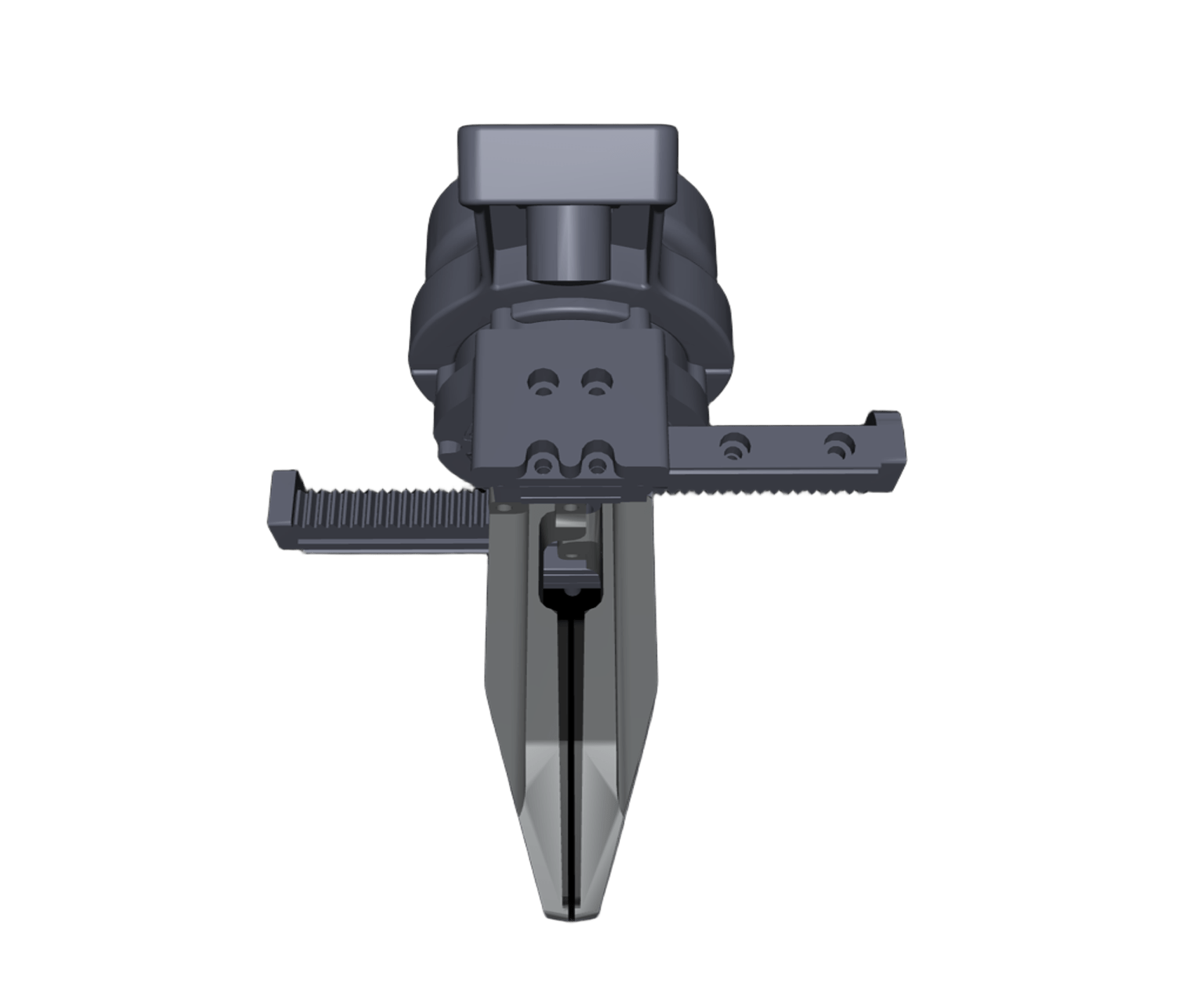
After closing it, press the s key and then Enter.
> s
[2025-01-01 00:00:28.024] [info] Calibrating motor 0...
Motor type: MotorType::M4010
Id: 0
Calibration successful!
[2025-01-01 00:00:28.042] [info] Motor 0 calibration successful.
[2025-01-01 00:00:28.042] [info] ========== Motor Calibration (Motor 2 (index) of 2 (total)) ==========
[2025-01-01 00:00:28.042] [info]   - Motor ID: 1,        Side: Left,     Port: /dev/ttyUSB1
[2025-01-01 00:00:28.042] [info] Please manually close the gripper tightly.
                                 Then press 's' + Enter to calibrate, or any other key to skip.
>
Same as the previous step, continue calibrating the second one.
> s
[2025-01-01 00:00:28.881] [info] Calibrating motor 1...
Motor type: MotorType::M4010
Id: 1
Calibration successful!
[2025-01-01 00:00:28.903] [info] Motor 1 calibration successful.
[2025-01-01 00:00:28.903] [info] Calibration process completed.
Check results.
unitree@ubuntu:~/dex1_1_service/build$ sudo ./test_dex1_1_gripper_server -l -r
# The gripper’s initial position should be near zero.
[2025-01-01 00:00:13.776] [info] Right gripper init at q = 0.001
[2025-01-01 00:00:14.978] [info] Left gripper init at q = 0.000
R= 0.508 L= 0.502After completing the above setup and configuration, and successfully testing dex1_1_gripper_server, you can configure the dex1_1_gripper_server to start automatically on system boot by running the following script:
bash setup_autostart.shFollow the prompts in the script to complete your configuration.
-
Error when
make -j6:unitree@ubuntu:~/dex1_1_service/build$ make -j6 Scanning dependencies of target dex1_1_gripper_server Scanning dependencies of target test_dex1_1_gripper_server [ 50%] Building CXX object CMakeFiles/test_dex1_1_gripper_server.dir/test/test_gripper.cpp.o [ 50%] Building CXX object CMakeFiles/dex1_1_gripper_server.dir/main.cpp.o /home/unitree/dex1_1_service/test/test_gripper.cpp:1:10: fatal error: unitree/idl/go2/MotorCmds_.hpp: No such file or directory 1 | #include <unitree/idl/go2/MotorCmds_.hpp> | ^~~~~~~~~~~~~~~~~~~~~~~~~~~~~~~~ /home/unitree/dex1_1_service/main.cpp:1:10: fatal error: unitree/idl/go2/MotorCmds_.hpp: No such file or directory 1 | #include <unitree/idl/go2/MotorCmds_.hpp> | ^~~~~~~~~~~~~~~~~~~~~~~~~~~~~~~~ compilation terminated. compilation terminated.
This error mentions that the unitree_sdk2 headfile could not be found. First compile and install unitree_sdk2:
cd ~
git clone https://github.com/unitreerobotics/unitree_sdk2
cd unitree_sdk2
mkdir build & cd build
cmake ..
sudo make install
-
Error when
sudo ./dex1_1_gripper_server:unitree@ubuntu:~/dex1_1_service/build$ sudo ./dex1_1_gripper_server [2025-08-14 09:56:53.595] [info] Available Serial Ports: /dev/ttyUSB3, /dev/ttyUSB2, /dev/ttyUSB1, /dev/ttyUSB0 [2025-08-14 09:56:54.339] [error] Motors not found after multiple attempts. # or unitree@ubuntu:~/dex1_1_service/build$ sudo ./dex1_1_gripper_server [2025-08-14 09:58:12.010] [info] Available Serial Ports: [2025-08-14 09:58:12.010] [warning] No ttyUSB serial ports found.
The two situations described above are:
- The gripper power is not connected.
- The gripper serial board (which connects to the G1 USB port) is not connected.
-
A USB hub with an Ethernet device is plugged into the robot's Type-C port:
In this hardware setup, pay attention to the driver's
-n [ --network ] arg (=eth0) dds networkInterfaceparameter. The extra Ethernet interface introduced by the USB hub may cause the defaulteth0to no longer be the correct interface. You can useifconfigorip addrto check which interface currently has an IP address in the192.168.123.*subnet, and then specify the correct network interface name according to the actual system configuration, such aseth1.Note that the auto-start script
setup_autostart.shdoes not specify a network interface parameter, so it uses the defaulteth0. Ifeth0is not the correct interface on your system, you need to modifysetup_autostart.shand add the correct network interface parameter to theExecStartline, for example:ExecStart=$SCRIPT_BIN/dex1_1_gripper_server -n eth1