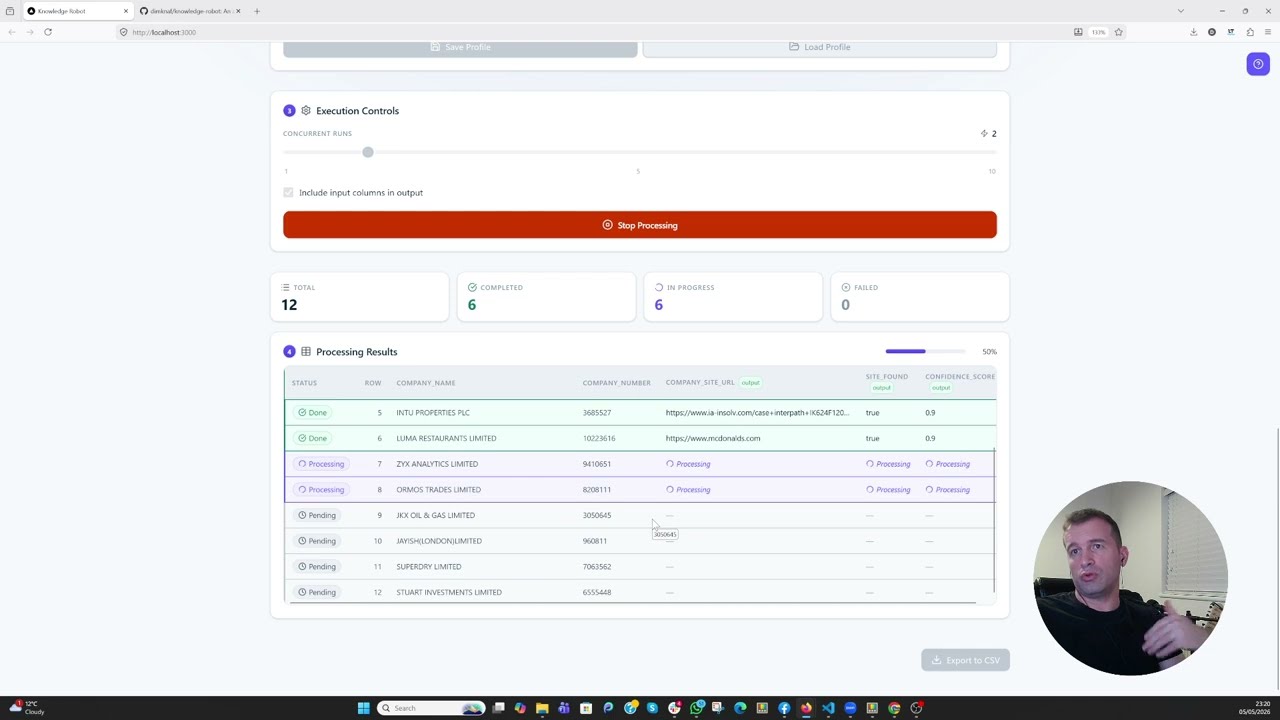
▶ Watch the tutorial: youtu.be/wnuQufwRAXE — 2-minute walkthrough of upload → prompt → schema → run → export.
An agentic AI that automates the repetitive work knowledge workers do every day — web research, browsing, data extraction, and structured note-taking. You describe the task once, define the shape of the output you want, and the agent runs it for you over many inputs: searching the web, visiting pages, and returning typed results that match your schema.
- Agent runtime — Flask + the OpenAI Agents SDK, LiteLLM-driven and profile-pluggable so you can switch providers with one env var
- Web research built in — Playwright + crawl4ai for free local scraping, or the Firecrawl MCP for managed scraping; web search optional per-task
- Structured output by construction — the agent calls a
submit_resulttool whose argument type is a Pydantic model generated from your schema; one LLM round per row, no second parse call - UI for non-developers — Next.js 15 frontend lets you point the agent at a CSV, build prompts with column placeholders, and watch results stream in
CSV is the input format the bundled UI ships with today. The backend is a plain HTTP API (POST /api/process-row) that takes any row-shaped JSON, so you can drive it from your own pipeline or build a different input adapter on top.
git clone <this-repo>
cd knowledge-robot
cp backend/.env.example backend/.env
# edit backend/.env: set DEEPINFRA_API_KEY and (optionally) FIRECRAWL_API_KEY
docker-compose -f docker-compose.local.yml up --build
Open http://localhost:3000.
The default LLM profile is deepinfra running deepinfra/google/gemma-4-31B-it. To use a different provider, add an entry to _LLM_PROFILES in backend/API/config.py and set LLM_PROFILE=<your-key> in .env. Any LiteLLM-supported provider works.
For a visible Chromium window during local-mode runs on Windows 11, layer the WSLg overlay on top (must be invoked from inside WSL2):
wsl -- bash -c 'cd /mnt/c/.../knowledge-robot && \
docker-compose -f docker-compose.local.yml -f docker-compose.windowed.yml up -d'# Backend
cd backend
pip install -r requirements.txt
playwright install chromium
cp .env.example .env # edit with your keys
cd API && python api.py
# Frontend (in another shell)
cd frontend
npm install
echo "BACKEND_URL=http://localhost:8080" > .env.local
npm run dev| Var | Where | Purpose |
|---|---|---|
LLM_PROFILE |
backend .env |
Picks an entry from _LLM_PROFILES (default deepinfra) |
DEEPINFRA_API_KEY |
backend .env |
Required for the default profile |
FIRECRAWL_API_KEY |
backend .env |
Only needed for scrape_backend=firecrawl |
BACKEND_URL |
frontend .env.local |
Where the Next.js proxy forwards to (default http://localhost:8080) |
API_SECRET_KEY |
both .envs |
If set on backend, frontend must forward the same value via X-API-Key |
NEXT_PUBLIC_BASE_PATH |
frontend build env | Optional sub-path mount, e.g. /knowledge if served behind a reverse proxy |
Full env-var reference lives in backend/README.md and backend/.env.example.
- USER_GUIDE.md — end-user walkthrough (uploading, prompting, schemas, profiles, exporting)
- CLAUDE.md — developer + AI-agent guide to the codebase
- backend/README.md — backend architecture, API contract, troubleshooting
- frontend/README.md — frontend usage, profile format, Vercel deploy notes
The base docker-compose.yml is intentionally generic — no port mappings, no host paths. Layer your own production overlay on top:
docker compose -f docker-compose.yml -f docker-compose.your-prod.yml up -d
# or, for Swarm:
docker stack deploy -c docker-compose.yml -c docker-compose.your-prod.yml knowledge-robot
Your overlay should add port mappings, production env vars, secrets, and any reverse-proxy / TLS / health-check configuration your platform needs. See CLAUDE.md → Deployment Notes for the patterns.
Apache License 2.0. See NOTICE for attribution.